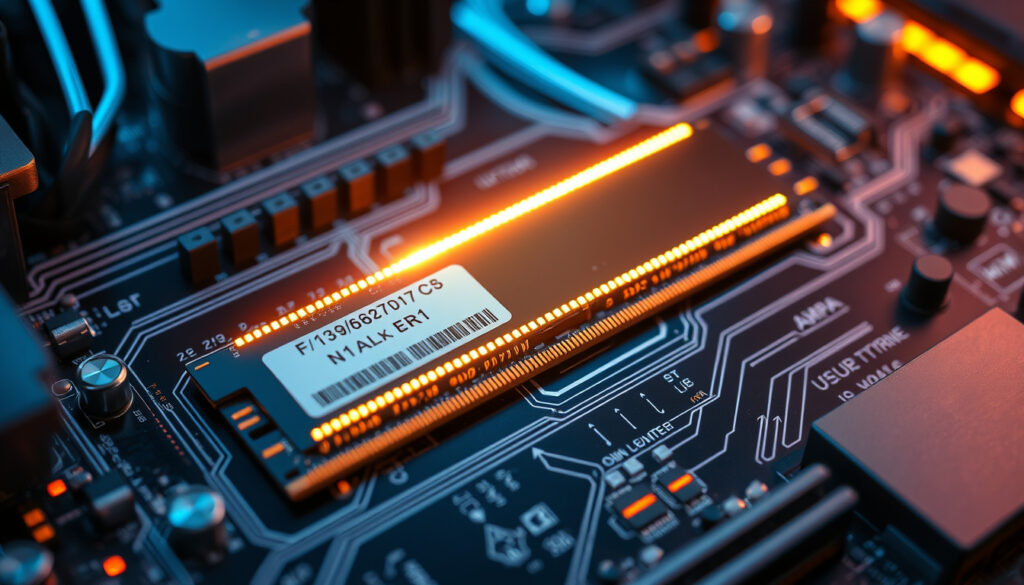
What is RAM Speed? A Complete Guide to PC Memory Speeds
RAM speed is often mistaken for the only metric that matters, but capacity and latency are equally important. RAM speed determines how quickly data moves between memory and the processor, yet it is often misunderstood as the sole measure of speed.
This guide cuts through the jargon to explain what RAM speed is, how it affects real-world tasks, and whether paying for higher MHz is always worth it.
Common DDR4 speed: 3200 MHz (standard) ·
Common DDR5 speed: 4800–6000 MHz ·
Typical CAS latency: CL16–CL18 (DDR4) ·
Performance gain from faster RAM: Up to 10% in CPU-bound games ·
RAM speed unit: Megahertz (MHz) – effective data rate ·
Maximum DDR4 speed (stock): 3200 MHz (JEDEC)
Quick snapshot
- Measured in MHz (or MT/s). Corsair (memory manufacturer)
- Determines how fast data moves to and from RAM. Corsair
- Affects CPU performance in memory-bound tasks. TechSpot (tech review outlet)
- Capacity handles data volume; speed handles data rate. (Tom’s Hardware) (Tom’s Hardware (hardware analysis site))
- 16GB of fast RAM can outperform 32GB of slow RAM in gaming. Tom’s Hardware (hardware analysis site)
- Choose based on workload: capacity for multitasking, speed for latency-sensitive tasks. (HYTE blog) (Tom’s Hardware (hardware analysis site))
- DDR4: 3200 MHz CL16 is the sweet spot. Tom’s Hardware
- DDR5: 5600–6000 MHz CL30-36 offers best value. ADATA (memory brand)
- Extreme speeds (8000 MHz+) only for enthusiasts with compatible hardware. Tom’s Hardware
Five key facts illustrate the relationship between clock rates, transfers, and timings.
| Fact | Detail |
|---|---|
| Base clock vs effective speed | DDR RAM transfers twice per cycle, so effective rate is 2x base clock (e.g., 1600 MHz base → 3200 MT/s). |
| CAS latency examples | DDR4 CL14 = 14 clock cycles; DDR5 CL30 = 30 cycles. Lower is faster. |
| Typical DDR4 module | 8GB 3200 MHz CL16 |
| Typical DDR5 module | 16GB 5600 MHz CL36 |
| CPU memory controller limits | Ryzen 5000 series sweet spot: 3600–3800 MHz. Intel 12th gen: 3200–3600 MHz (DDR4) / 4800–5600 MHz (DDR5). |
What is RAM Speed and How Is It Measured?
Understanding Megahertz (MHz) and Megatransfers (MT/s)
RAM speed is the rate at which data can be read from or written to memory. It is commonly expressed in megahertz (MHz), but technically the correct unit for double-data-rate (DDR) memory is megatransfers per second (MT/s). DDR transfers data on both the rising and falling edges of each clock cycle, so a 1600 MHz base clock yields an effective data rate of 3200 MT/s. Corsair, a leading memory manufacturer, explains that DDR4 JEDEC speeds operate up to 3200 MT/s, while DDR5 can reach 6400 MT/s under standard specifications (Corsair (memory manufacturer)).
Because most marketing and retail listings still say “MHz” when they mean “MT/s,” the two terms are used interchangeably in practice. The key takeaway: a stick rated at 3200 MHz is effectively performing 3.2 billion data transfers every second.
When you see “MHz” on a RAM kit, think “MT/s” – that is the actual data rate. A 3200 MHz module moves data twice as fast as its base clock suggests.
JEDEC Standards vs Overclocked Speeds
The Joint Electron Device Engineering Council (JEDEC) sets industry-standard speeds that guarantee compatibility. For DDR4, JEDEC defines speeds up to 3200 MT/s; for DDR5, the standard goes up to 6400 MT/s, according to Corsair (Corsair). Many RAM kits sold at higher speeds (e.g., 3600 MHz DDR4 or 7200 MHz DDR5) operate via an overclocked profile called XMP (Intel) or EXPO (AMD). These profiles push beyond JEDEC ratings and require compatible motherboards and CPUs. Running RAM beyond the CPU’s supported speed can cause system instability or require manual tuning.
Overclocked RAM speeds are not guaranteed to work on every system. Check your motherboard’s QVL (qualified vendor list) before buying high-frequency kits.
What this means: A RAM kit’s MHz number is only part of the story – compatibility with your CPU’s memory controller matters just as much.
The takeaway: Shoppers should prioritize compatibility and latency over raw MHz for real-world performance.
What Does RAM Speed Actually Do?
How RAM Speed Affects CPU Performance
Faster RAM reduces the time the processor spends idle while waiting for data. In memory-intensive tasks like video encoding, 3D rendering, and scientific simulations, higher bandwidth directly cuts compute time. A benchmark from TechSpot, an established tech-review outlet, found that DDR5 was 7% faster on average in average frame rate and 10% faster in 1% lows across 21 games compared to DDR4 (TechSpot (tech review outlet)). The advantage grew to 11% at 1080p resolution, where the CPU becomes the bottleneck.
The Role of Latency (CAS Timings)
Speed (MHz) is only half the equation. CAS latency (CL) measures the number of clock cycles the RAM delays before delivering data. A lower CL means faster response. ADATA, a memory manufacturer, notes that standard DDR4 effective latency is about 13–15 nanoseconds, while DDR5 sits around 16–17 ns because higher CAS timings offset the faster clock (ADATA (memory brand)). This explains why DDR5-4800 C40 was only 9% faster than DDR4-3200 C15 in overall performance, as reported by Tom’s Hardware (Tom’s Hardware).
- Lower CL = fewer cycles to serve the first byte.
- Higher MHz = more bandwidth once the data starts flowing.
- Real-world performance balances both: a 3200 MHz CL16 kit often beats a 3600 MHz CL22 kit in latency-sensitive loads.
The pattern: raw MHz without tightening latency may not deliver the gains you expect.
The takeaway: Gamers should focus on tight timings rather than chasing MHz for better responsiveness.
What Is a Good RAM Speed for Gaming?
Recommended Speeds for DDR4 and DDR5
For DDR4 systems, 3200 MHz CL16 is widely considered the sweet spot. It offers a strong balance of cost, compatibility, and performance. For DDR5, speeds between 5600 MHz and 6000 MHz with CAS latencies of CL30-36 give the best value today. Tom’s Hardware found that the gaming difference between the slowest DDR4 and DDR5 extremes was only about 8%, and just 2% between DDR4-3200 C15 and DDR5-6400 C36 (Tom’s Hardware).
Spending extra for 8000 MHz DDR5 may yield only a few extra frames in most games. The money is often better invested in a faster GPU or CPU.
Budget vs Performance Sweet Spots
For budget-focused builders, 3200 MHz CL16 DDR4 remains a safe bet. For those moving to DDR5, 5600 MHz CL36 offers the lowest-cost entry without sacrificing much. The Club386 review noted that in a heavily DDR5-favorable scenario, the DDR5 system showed a 53% win in one gaming benchmark, but such cases are rare (Club386 (tech analysis site)). Most titles see smaller differences.
The implication: for pure gaming with a modern GPU, don’t overpay for extreme RAM speeds. Stick to the recommended sweet spots and allocate budget elsewhere.
RAM Speed vs Capacity: Which Matters More?
When Capacity Becomes a Bottleneck
RAM capacity determines how much data can be held simultaneously. Running out of memory forces the system to use slower storage, dramatically hurting performance. For everyday multitasking – dozens of browser tabs, office apps, or light photo editing – 16 GB is comfortable, while 32 GB suits heavy virtual machines or large media projects. Capacity does not directly speed up individual operations; it prevents slowdowns when the workload exceeds available space.
Speed vs Capacity in Real-World Benchmarks
Benchmarks consistently show that a 16 GB kit running at 3200 MHz outperforms a 32 GB kit at 2666 MHz in gaming and latency-sensitive tasks. The faster transfer rate compensates for the smaller pool. Tom’s Hardware confirmed that DDR5-4800 C40 was 19% faster than DDR4-2133 C15 and 14% faster than DDR4-3200 C22 in overall performance (Tom’s Hardware). For more in-depth information on troubleshooting common issues, consult our comprehensive Dishwasher repair guide.
- 16 GB 3200 MHz CL16: best for pure gaming.
- 32 GB 3200 MHz CL16: better for multitasking + gaming.
- 32 GB 2666 MHz: only if you absolutely need capacity over speed.
The trade-off: if your workloads are latency-sensitive (gaming, real-time audio), speed matters more. If you are a heavy multitasker or run large datasets, capacity becomes the priority.
Is Higher RAM Speed Always Worth It?
The Diminishing Returns of Extreme Speeds
Beyond 6000 MHz for DDR5, the performance gains per dollar shrink quickly. Tom’s Hardware noted that the gap between DDR4-3200 C15 and DDR5-6400 C36 was merely 2% in gaming (Tom’s Hardware). To achieve 8000 MHz stable, you need premium motherboards, optimized traces, and often manual voltage tuning. The extra cost can approach the price of a mid-range GPU.
Compatibility and Platform Restrictions
Intel and AMD CPUs have optimal RAM speed ranges. For example, AMD’s Ryzen 7000 series gains most from 6000 MHz memory because the unified memory controller (UCLK) runs at the same frequency as the memory clock. Speeds above 6000 MHz may cause desynchronization (UCLK:DDR ratio 1:2), reducing performance. Corsair warns that motherboard support is typically exclusive: a board supports either DDR4 or DDR5, not both (Corsair).
Why this matters: buying the fastest RAM on the market without checking CPU/motherboard support can lead to a system that won’t boot or runs slower than a moderately priced kit.
Sometimes slower RAM runs faster – if the faster kit forces your CPU memory controller into a higher latency mode, you lose the advantage.
DDR4 vs DDR5: Key Specifications
Two generations, six differences that affect your buying decision.
| Specification | DDR4 | DDR5 |
|---|---|---|
| JEDEC speed range | 2133 – 3200 MT/s | 4800 – 6400 MT/s |
| Typical CAS latency | CL14 – CL18 | CL30 – CL40 |
| Effective latency (ns) | 13–15 ns | 16–17 ns |
| Operating voltage | 1.2 V | 1.1 V |
| Channel architecture | Single 64-bit per module | Two 32-bit per module (with ECC) |
| Burst length | BL8 | BL16 |
The implication: DDR5 delivers higher bandwidth and lower power, but its higher latency means you don’t always feel the speed in latency-sensitive tasks.
RAM Speed Terminology: MHz vs MT/s vs Bandwidth
Understanding these terms avoids confusion when comparing specs.
| Term | Meaning | Example |
|---|---|---|
| MHz (megahertz) | Clock cycles per second (base clock for DDR) | 1600 MHz base clock |
| MT/s (megatransfers) | Data transfers per second (effective rate) | 3200 MT/s = 3200 million transfers per second |
| Bandwidth (GB/s) | Data throughput = (MT/s × bus width) / 8 | 3200 MT/s × 64-bit / 8 = 25.6 GB/s |
What this means: when a store lists “3200 MHz” RAM, it is actually 3200 MT/s – the effective data rate. Base clock is half that.
Pros and Cons of Higher RAM Speed
Upsides
- Higher bandwidth speeds up data-heavy tasks like video editing, 3D rendering, and scientific computing.
- Improved 1% low frame rates in CPU-bound games, providing smoother gameplay.
- Future-proofing: faster RAM can keep pace with next-gen CPUs that demand more bandwidth.
Downsides
- Diminishing returns above 6000 MHz for DDR5; extra cost often doesn’t translate to visible gains.
- Higher speeds may require manual tuning (XMP/EXPO) and are not guaranteed stable on all motherboards.
- Latency usually increases at higher speeds, partially offsetting bandwidth benefits.
The trade-off: higher speed comes with higher latency and compatibility risks, so the best choice depends on your specific needs.
What We Know and What Remains Unclear
Confirmed Facts
- RAM speed is measured in MHz (or MT/s) and determines data transfer rate.
- Faster RAM reduces latency in data access and can improve gaming FPS by up to 10% in CPU-limited scenarios (TechSpot).
- DDR5 offers higher bandwidth than DDR4 at the same clock speed, but with higher CAS latency.
What’s Unclear
- The exact FPS gain depends on the specific game engine, CPU, and GPU combination – a 35% advantage in 1% lows was seen in one test, but averages are lower (TechSpot).
- Whether 8000 MHz RAM is worth the premium over 6000 MHz varies per workload; few applications scale beyond 6000 MHz.
- Whether RAM speed significantly affects boot time depends on other system components (FAQ).
What Experts Say
“RAM speed matters most when the CPU is waiting on data from RAM. In that scenario, every MHz counts.”
— HP Tech Takes (tech resource)
“For everyday multitasking, capacity is often more noticeable than speed. But when you are gaming at high frame rates, speed takes over.”
— HYTE blog (PC hardware guide)
“RAM speed is the rate at which data can be read from or written to memory. It’s one part of the memory performance equation, along with latency and capacity.”
— Lenovo glossary (PC manufacturer)
For readers building a PC in 2025, the choice hinges on platform: DDR5 offers more room to grow, but DDR4 remains a competent budget option. The editorial verdict: don’t chase MHz at the expense of latency and capacity. A moderate-speed kit with tight timings and adequate capacity will serve you better than extreme overclocked RAM that strains your wallet and your motherboard.
To fully understand RAM speed, it helps to first know what RAM is and how it works as the foundation of memory performance.
Frequently asked questions
Is DDR5 faster than DDR4?
Yes, DDR5 offers higher bandwidth (up to 6400 MT/s stock) and lower power consumption. However, its higher CAS latency can reduce the real-world speed advantage in some tasks. In gaming, the average difference over good DDR4 is about 7%.
What is CAS latency and why does it matter?
CAS latency (CL) measures the number of clock cycles before RAM delivers data. Lower CL means faster response. It matters because high MHz with high CL may not improve latency-sensitive performance.
Can I mix RAM sticks with different speeds?
Yes, but the system will run at the speed of the slowest stick. For best performance, use matched sticks from the same kit.
Does RAM speed affect boot time?
Slightly. Faster RAM can reduce the time the CPU spends initialising memory, but boot time is dominated by storage speed (SSD vs HDD).
How to check RAM speed in Windows?
Open Task Manager, go to Performance > Memory. The speed is listed in MHz under the memory graph.
Is 32GB RAM overkill for gaming in 2025?
For pure gaming, 16GB is still sufficient. 32GB helps with multitasking (streaming, Discord, browser) and future-proofing, but is not necessary for most current titles.
What happens if I install faster RAM than my CPU supports?
The CPU will either downclock the RAM to its maximum supported speed, or the system may fail to boot. Check your CPU’s memory specification before buying.
More related posts
 Trade Me Cars NZ: How to Find Used Cars for Sale in New Zealand
 University of Canterbury Jobs: Vacancies, Salaries & Students
 Mr Lobster Private Kitchen Menu: Yum Cha & Prices in Henderson
 Between Two Beers Podcast: Hosts, Guests & Irish Podcasts Compared
 Best S&P 500 Index Funds 2025: Low-Cost & How to Buy
 Best Broadband Provider NZ: Compare 2025 Plans & Deals
 100 Grams to Cups: Exact Conversions for Flour, Sugar, Butter
 Translate English to Thai – Best Free and Paid Tools