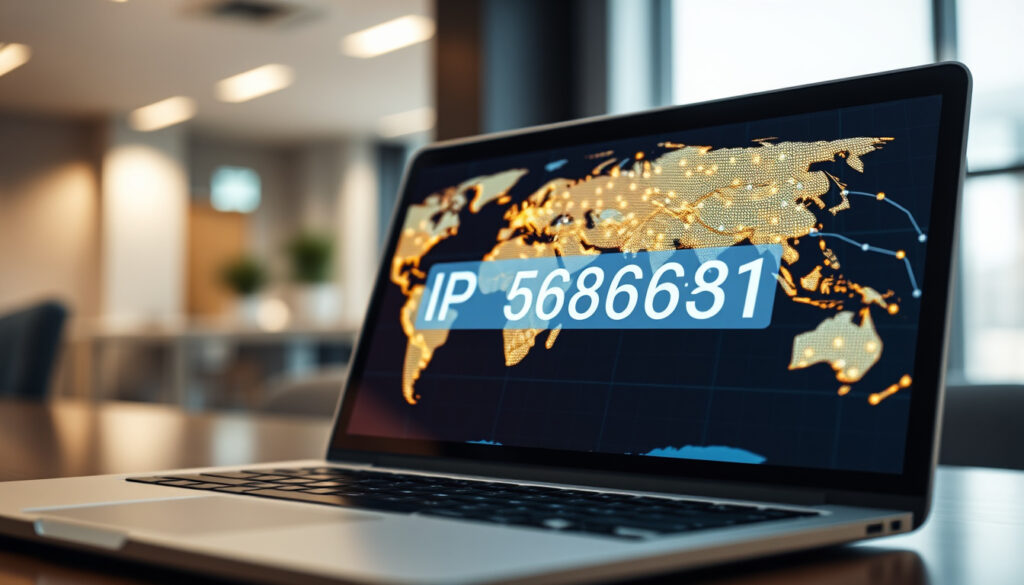
What’s My IP Address? Find Your Public and Private IP in Seconds
Your IP address is never purely public or purely private — it depends on which network layer you’re looking at. It’s not just a string of numbers; it determines what websites see about your location and how your devices talk to each other; by the end of this guide you’ll know exactly how to find your IP on any device, the difference between public and private addresses, and what risks (if any) come with someone knowing it.
Total IPv4 addresses: 4,294,967,296 (Wikipedia) · IPv6 address space: 340 undecillion addresses (Cloudflare) · Average devices per household globally: ~8 (Statista) · Static vs dynamic IP: Dynamic IPs change periodically (Cloudflare)
Quick snapshot
- IP addresses are globally assigned by IANA (ICANN (Internet Corporation for Assigned Names and Numbers))
- Private IP ranges (10.0.0.0/8, 172.16.0.0/12, 192.168.0.0/16) are defined in RFC 1918 (Netgate pfSense documentation)
- Exact physical location from an IP is not precise — it reveals only a general geographic area (Electronic Frontier Foundation (digital privacy advocacy))
- Whether IP tracking is always legal depends on jurisdiction and intent (FTC (US consumer protection agency))
- Many residential ISPs assign dynamic public IPs that change periodically; static IPs are reserved for specific contracts (Oracle Cloud Infrastructure documentation)
- Using a VPN can mask your public IP from websites and services (Cloudflare (content delivery and network security))
- IPv6 adoption continues to grow, promising a vastly larger address space for every device (Wikipedia)
Five key facts — one pattern: your IP address is never purely public or purely private; it depends entirely on which network layer you’re looking at.
| Fact | Detail |
|---|---|
| Public IP address | Assigned by ISP, visible to websites you visit |
| Private IP address | Used within home network, not routable on the internet |
| IPv4 length | 32‑bit number, e.g. 192.168.1.1 |
| IPv6 length | 128‑bit number, e.g. 2001:db8::1 |
| Common router IP | 192.168.1.1 or 192.168.0.1 |
Can I view my IP address?
You can see both your private and public IP using built‑in system tools or online services. The key difference: your private IP is assigned by your router, while the public IP shown by websites like whatismyip.io is the address your ISP gives to your whole network (Google Cloud (cloud networking documentation)).
Viewing your IP on Windows
- Open Control Panel → Network and Internet → Network and Sharing Center
- Click “Change adapter settings”, right‑click your active connection, select “Status”, then “Details”
- The IPv4 address listed is your private IP (TP‑Link (networking hardware manufacturer))
Viewing your IP on macOS
- Go to System Preferences → Network → select Ethernet or Wi‑Fi
- Your private IP appears under the connection status label
Viewing your IP on iPhone/iPad
- Open Settings → Wi‑Fi → tap the connected network’s “i” icon
- The IP address shown is your device’s private address on that network
Viewing your IP on Android
- Go to Settings → Wi‑Fi or WLAN → tap the connected network
- The private IP is listed in the network details
Viewing your public IP online
- Visit any IP‑check site such as whatismyip.io or ipinfo.io — the address displayed is the public IP of your internet connection, not the private one assigned to your device
The pattern: Your public and private IPs serve different purposes; knowing both gives you control over your digital footprint.
What is a private IP address?
A private IP address is used for communication inside a local network and cannot be reached directly from the internet. The Internet Assigned Numbers Authority (IANA) reserved three ranges specifically for this purpose: 10.0.0.0/8, 172.16.0.0/12, and 192.168.0.0/16.
Difference between public and private IP
- Public IP: internet‑routable, assigned by ISP, unique across the entire internet
- Private IP: used only within a local network, typically assigned by the router via DHCP (Amazon Web Services (cloud infrastructure documentation))
Common private IP ranges (192.168.x.x, 10.x.x.x, 172.16.x.x)
- 10.0.0.0/8 – 10.0.0.0 through 10.255.255.255 (large enterprise networks)
- 172.16.0.0/12 – 172.16.0.0 through 172.31.255.255 (medium‑sized networks)
- 192.168.0.0/16 – 192.168.0.0 through 192.168.255.255 (most common in home routers)
Why 192.168.1.1 is a common router IP
192.168.1.1 falls inside the 192.168.0.0/16 private block and is the default gateway address for many popular router brands. It’s a real private IP, but it can be used on millions of separate home networks without conflict because the private address never leaves the local LAN.
A single public IP can support dozens of private devices through Network Address Translation (NAT) — which means that even if your public IP is visible, no one on the internet can directly reach your laptop or phone using that address alone.
The catch: private IPs are unreachable from the internet, so they rely on NAT to share a single public IP, which is a common configuration in home networks.
Can someone track you with your IP address?
IP addresses can reveal a general geographic region — often the city or area of your ISP’s nearest exchange — but they cannot pinpoint your exact street address. The precise location depends on how your ISP maps that address.
What IP address reveals about location
- Typically shows the postal code or city associated with the ISP’s local point of presence
- Databases from companies like MaxMind map IP blocks to approximate coordinates — accuracy varies wildly
Limitations of IP tracking
- Your ISP knows exactly which customer was using a given IP at a given time, but third‑party services do not have that data
- Dynamic IPs change frequently, making long‑term tracking unreliable without additional identifiers
How to protect your IP privacy
- Use a VPN — your traffic appears to come from the VPN server’s IP, not your home address
- Use a proxy or Tor for additional anonymity layers
The implication: while your general location may be inferred, your identity is not revealed unless the ISP connects the dots.
Can I change my phone’s IP address?
Yes, you can change both your phone’s private and public IP with a few simple steps. Mobile carriers assign dynamic IPs that may change automatically when you disconnect and reconnect, but you can also force a change manually.
Changing IP on Android
- Toggle Airplane Mode on for 10 seconds, then off — the carrier will likely assign a new public IP
- Or go to Settings → Network & Internet → Wi‑Fi → tap the network → “Forget network” and reconnect
Changing IP on iPhone
- Go to Settings → Wi‑Fi → tap the “i” next to your network → “Renew Lease” to request a new private IP from the router
- For a new public IP, turn on Airplane Mode for a short period, or toggle cellular data off and on
Using a VPN to change IP
A VPN replaces your actual public IP with one from the VPN provider’s server pool. This works on both iPhone and Android without any network resets. The new IP can appear to be from a different city or country entirely.
Is finding an IP address illegal?
Looking up someone’s IP address is generally not illegal by itself — after all, every website you visit sees your IP as a normal part of networking. The legal line is crossed when an IP is used to harass, stalk, commit fraud, or access protected systems without permission.
Legal uses of IP addresses
- Websites log IPs for analytics, security, and fraud prevention
- Online services use IP to show localised content (e.g. language, search results)
- Law enforcement can request IP logs from ISPs with a warrant or court order
When IP lookup may be illegal
- If you use an IP to identify and then harass or dox someone
- If you attempt to break into a device or network using the IP as an entry point
- In some jurisdictions, swatting (reporting a fake emergency based on IP‑derived location) is a serious crime
The same IP address that lets you watch Netflix also lets advertisers build a profile. The difference is consent and context — it’s not the data itself that’s illegal, but how it’s used.
The bottom line: IP addresses are neutral tools; the legality hinges on the user’s intent.
What’s clear and what’s not
Confirmed facts
- IP addresses are allocated by IANA and regional registries (Wikipedia)
- Private ranges (RFC 1918) are reserved for internal networks (Wikipedia)
- Most home networks use NAT to share one public IP among many devices (Wikipedia)
What’s still unclear
- The exact geographic accuracy of IP location databases varies widely
- Legal boundaries for IP tracking and selling IP data differ by country
- Whether ISPs will ever fully transition away from IPv4 is uncertain
Perspectives on IP privacy
“Every device connected to the internet needs a unique identifier — the IP address. The challenge is balancing the need for uniqueness with the right to privacy.”
— Goran Marby, President and CEO, ICANN
“Your IP address can be a powerful identifier. We encourage consumers to use tools like VPNs to protect their online activity from unnecessary scrutiny.”
— FTC Consumer Advisory (2019)
For the average internet user, the choice is straightforward: understand what your IP reveals, or take deliberate steps to mask it. The catch is that complete anonymity online is difficult — every connection requires an address. Whether you share that address freely or protect it with a VPN is up to you, but the consequences for your privacy are very real.
Frequently asked questions
What is my Minecraft IP address?
Your Minecraft server IP is the public IP of your internet connection followed by the port number (default 25565). You can find your public IP on a site like whatismyip.io and share it with friends – but make sure port forwarding is set up on your router.
Can two devices have the same IP address?
Yes and no. Two devices on the same local network cannot share the same private IP — that causes a conflict. But two different households can have the same private IP (e.g. 192.168.1.5) because private IPs are only unique inside each network. Globally, public IPs must be unique across the entire internet.
Is IP tied to device or WiFi?
An IP address is tied to a network connection, not a specific device. When a device connects to a different Wi‑Fi network, it gets a new private IP from that network’s router. The public IP belongs to the internet connection itself — every device on that connection shares it.
Does everyone in your house have the same IP address?
From the outside, yes — every device on your home network shares the same public IP (assigned by your ISP). Inside your network, each device has a unique private IP (e.g. 192.168.1.2, 192.168.1.3) assigned by the router.
Can someone see everything on my phone if I use their Wi‑Fi?
No. Even if someone knows your private IP on their network, they cannot see the contents of your phone. A Wi‑Fi owner can potentially see which websites you visit (unencrypted traffic), but not your passwords, messages, or files — especially if you use HTTPS and a VPN.
More related posts
 Harvey Norman Samsung Phones: Best Picks & Buying Guide
 dalla maverick v laker match player tat
 Dawn of War 4: Release Date, Factions & Gameplay Confirmed
 How to Defrost Chicken Fast – Safe USDA Methods and Times
 Second Hand Relocatable Homes NZ: Complete Buyer’s Guide
 Year of the Horse 2026: Is It Lucky? Fire Horse Meaning & Predictions
 Kiwis vs Samoa 2025: Pacific Cup Final Recap & Score
 Kiss Kiss Restaurant Reviews Auckland: Is It Worth Visiting