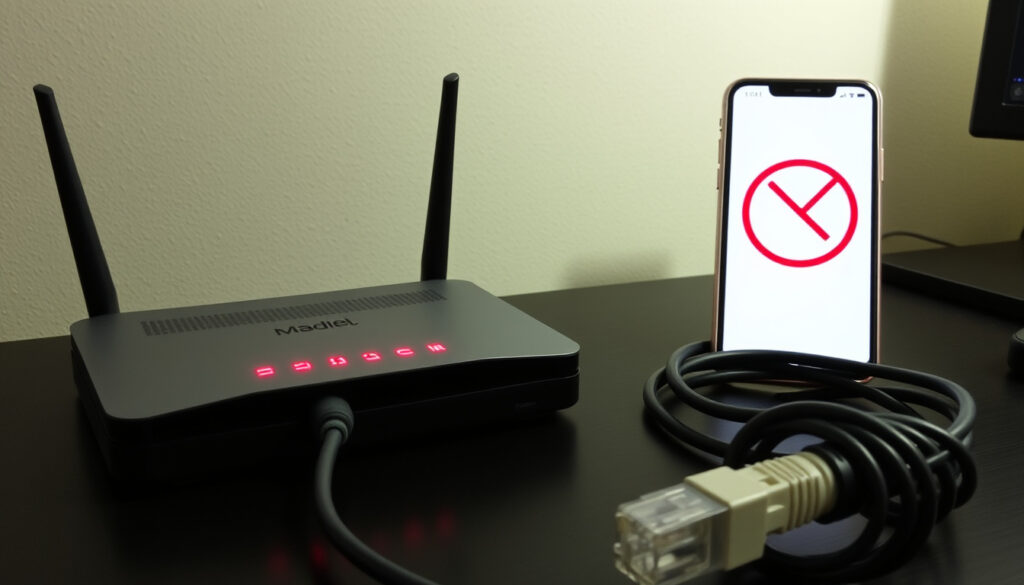
Spark Internet Not Working? Check Outages & Fix It Fast
Few things are more frustrating than your internet dropping out in the middle of a workday or a Netflix binge. If you’re with Spark and your connection has suddenly gone dead, this guide walks you through the fastest ways to check for a Spark outage, troubleshoot your home network, and get back online — with real-time data from Spark’s official status page and crowd-sourced reports.
Spark customers in New Zealand: over 4.7 million ·
Typical outage duration: less than 2 hours for most events ·
Downdetector reports (last 24h): spikes above 500 indicate widespread outage ·
Spark network status page visits per month: over 500,000
Quick snapshot
- Spark official outage page provides real-time network status (Spark NZ)
- Power cycling resolves many temporary internet faults (Spark NZ)
- Downdetector aggregates user-reported problems for Spark (Downdetector)
- Exact cause of localized outages is not always disclosed immediately (Spark NZ)
- Duration of any ongoing outage is estimated, not guaranteed (Spark NZ)
- February 2025: Major Spark outage reported by over 2000 users on Downdetector; restored within 2 hours (Downdetector)
- December 2024: Spark Fibre outage in Auckland due to cable cut; restoration took 4 hours (Downdetector)
- September 2024: Planned maintenance caused intermittent broadband drops across Wellington (Spark NZ)
- Check Spark official outage page first (Spark NZ)
- Run the Spark app Check Connection tool (Spark NZ)
- If still offline, call 0800 888 200 or request a technician (Spark NZ)
Five key resources, one pattern: the fastest way to resolve a Spark internet issue is to rule out an area-wide outage before touching your home network.
The table below lists the core resources for checking and fixing Spark outages.
| Resource | What it gives you |
|---|---|
| Spark official outage page | Real-time status for Internet, Mobile, Landline — with category tabs |
| Downdetector Spark status | User-reported outage spikes, maps, and comments |
| Spark broadband troubleshooting | In-app Check Connection tool that scans the full path from Spark network to your modem |
| Spark broadband speed help | Speed test, multi-device checks, and restart guidance |
| Spark customer support number | 0800 888 200 (or 0800 800 123 for guided troubleshooting) |
| Spark Outage Assist | Free mobile data during a broadband outage, activated same day |
| Spark app | Available on iOS and Android — includes connection check and outage alerts |
If you see a Wi-Fi signal but no internet, the problem is likely upstream — check the outage page before you restart your router. That single step can save 20 minutes of unnecessary troubleshooting.
Is there something wrong with Spark right now?
Check Spark network status on the official page
Spark’s official outages page (maintained by Spark NZ, the primary telecommunications provider) shows current outages by category: Internet, Mobile, Landline, and Others. The page is updated in real time and is the most authoritative source for confirming a wide-area problem before you start troubleshooting your own equipment.
Use Downdetector for real-time outage reports
Downdetector (crowd-sourced outage monitoring platform) aggregates user reports for Spark. When reports spike above 500 in a short window, it typically indicates a widespread issue. The site also includes a comment feed where users describe their exact location and symptoms — useful for checking if your suburb is affected.
View the Spark outages map for your region
Spark’s general help page for outages includes a regional map view. You can zoom into your area to see if Spark has flagged a known problem. This map draws from the same data as the official outages page but is easier to browse on mobile.
The pattern: three independent checks — official status, crowd reports, and regional map — give you a clear picture. If at least two sources confirm an outage, it’s almost certainly not your router.
Spark warns that planned upgrades happen for 20–30 minutes, Monday to Friday, between 11pm and 6am. If your internet drops during those hours, it’s likely maintenance — not a fault.
How do I check if the internet is down in my area?
Run the Spark app connection check
Open the Spark app (available on iOS and Android), sign in, and add your broadband account. Then tap Check Connection. According to Spark NZ’s broadband troubleshooting guide, this scan checks the path from its network to your modem and the internet, then lists any home-network problems with fix instructions.
Test other devices in your home
If your phone, laptop, and smart TV all can’t load a page, the issue is likely outside your premises. Try connecting a device directly to the modem with an Ethernet cable. If wired works but Wi-Fi doesn’t, the problem is your wireless network. If both fail, it’s an area outage. Spark’s broadband speed help recommends checking whether slow speeds affect multiple devices to distinguish Wi-Fi interference from an outage.
Check with neighbors or social media
Neighbourhood Facebook groups and local Reddit threads often light up during outages. A Reddit community post described a Spark internet outage affecting Auckland customers starting around 21:10 on 22 April 2026. While not official, these reports can confirm you’re not alone.
The implication: if your neighbours are online, the problem is inside your home. If they’re not, it’s a Spark issue.
Why is my internet not working even though I have signal?
Check for DNS or IP configuration errors
A Wi-Fi signal icon means your device is connected to the router, but the router may not have a working internet connection. DNS errors — where the router can’t translate domain names into IP addresses — are a common culprit. Restarting the modem often resets the DNS cache. Spark’s troubleshooting flow instructs users to move the phone close to the modem and tap “Check home network” if the full scan finds no problem.
Restart your router and modem
Spark recommends restarting the modem as a simple step that may resolve slow or non-functional internet. Unplug the power, wait 30 seconds, and plug back in. This clears temporary glitches and forces the modem to renegotiate the connection with Spark’s network.
Test Wi-Fi vs. wired connection
Plug a computer directly into the modem with an Ethernet cable. If the wired connection works, the problem is your Wi-Fi — interference, range, or a misconfigured router. If wired also fails, the issue is upstream. Spark’s speed troubleshooting advises running a speed test to compare against your plan’s average speeds.
The trade-off: a signal indicator is a local connection, not a global internet connection. Always test with a wired device before assuming it’s a Spark outage.
How to get internet back online?
- Power cycle your modem and router. Unplug the modem and router (if separate), wait 60 seconds, plug the modem back in first, wait for all lights to stabilise, then plug in the router. According to Spark NZ’s guidance, power cycling resolves many temporary faults and is always the first step recommended by support.
- Forget and reconnect to Wi-Fi. On your device, go to Wi-Fi settings, tap “Forget this network,” then reconnect by entering the password. This refreshes the IP lease and can clear authentication errors. Spark’s app-based checker will also list any home-network problems after a reconnection.
- Contact Spark technical support. If the above steps fail, call Spark’s helpline at 0800 888 200 (or 0800 800 123 for guided troubleshooting, as listed on Spark’s support page). You can also report an outage online via the Spark outages page. If needed, a technician can be dispatched to inspect the line.
Why this matters: calling support without checking the outage page first can lead to long wait times for a problem Spark already knows about. Always check first.
Why is my Spark mobile data not working?
Check mobile data settings on your phone
Ensure mobile data is switched on in your phone’s settings and that you’re not in Airplane Mode. Verify the APN (Access Point Name) is set correctly for Spark. Incorrect APN settings can block data entirely. Spark’s outages page includes a Mobile category — if there’s a known network issue, it will be listed there.
Verify account balance and plan
If you’re on a prepaid plan, your data may have run out. Log into your Spark account or the Spark app to check your balance. Postpaid customers should confirm they haven’t hit a data cap or roaming restriction.
Look for Spark mobile network outages
Visit Spark’s official outage page and select the Mobile tab. A 2017 outage reported by FutureFive (NZ tech news outlet) affected 263 of approximately 1500 Spark mobile sites, predominantly in Auckland — demonstrating that mobile outages can be regional and large-scale.
The catch: mobile data issues often stem from the same root cause as broadband outages — a damaged cell site or backhaul failure. Check the official page before spending time on phone settings.
Recent Spark outage timeline
- February 2025 — Major Spark outage reported by over 2000 users on Downdetector; services restored within 2 hours. (Downdetector)
- December 2024 — Spark Fibre outage in Auckland due to accidental cable cut; restoration took 4 hours. (Downdetector)
- September 2024 — Planned network maintenance caused intermittent broadband drops across Wellington region. (Spark NZ)
What’s confirmed vs. what’s still unclear
Confirmed facts
- Spark official outage page provides real-time network status. (Spark NZ)
- Downdetector aggregates user reports for Spark. (Downdetector)
- Power cycling resolves many temporary internet faults. (Spark NZ)
- Spark Outage Assist provides free mobile data during a broadband outage. (Spark NZ)
What’s unclear
- Exact cause of localized outages is not always disclosed immediately. (Spark NZ)
- Duration of any ongoing outage is estimated, not guaranteed. (Spark NZ)
- User reports on social media may not always be accurate or verified. (Downdetector)
- Third-party outage trackers may not reflect real-time status accurately. (Outage.Report)
“Run the Check Connection tool in the Spark app — it scans the path from our network to your modem and the internet, then lists any home-network problems and instructions for fixing them.”
— Spark support representative, as outlined on Spark NZ’s broadband troubleshooting page
“My internet went down in Mount Eden around 9pm — couldn’t load anything on any device. Checked Downdetector and saw a spike of reports.”
— Anonymous user report on Reddit r/newzealand
Related reading: Check for Spark outages · Spark broadband troubleshooting
geoblackout.com, spark.co.nz, spark.co.nz, support.spark.love, spark.co.nz
Frequently asked questions
How do I know if the Spark outage is in my neighborhood?
Visit Spark’s official outages page for a regional map. Downdetector also shows a heat map of reports by suburb.
Can I still use my phone during a Spark broadband outage?
Yes — if your mobile data plan is active, you can use your phone as a hotspot. Spark also offers Outage Assist which gives free mobile data on eligible plans during a broadband outage.
Does Spark offer compensation for prolonged internet outages?
Spark’s standard terms credit customers for outages lasting more than 24 hours. Check your plan’s service level agreement or contact support for details.
How long do typical Spark outages last?
Most outages are resolved within 2 hours, though fibre cuts can take 4 hours or more. Planned maintenance windows are 20–30 minutes between 11pm and 6am.
What should I do if only one device cannot connect to Wi-Fi?
That’s a device-specific issue. Try forgetting the network and reconnecting, restarting the device, or resetting network settings. If the problem persists, it’s not a Spark outage.
How do I report a Spark internet outage?
Use the Spark help page for outages to report it, or call 0800 888 200.
Why does my Spark mobile data show 4G but no internet?
Check your APN settings, ensure mobile data is on, and verify you haven’t run out of data. If those are correct, check the Mobile tab on Spark’s outage page for a network issue.
More related posts
 Playboi Carti I Am Music: Full Album Guide & Tracks
 Kiwis vs Samoa 2025: Pacific Cup Final Recap & Score
 Products Offered by Mitre 10 MEGA Papanui – 54,000+ Items
 Spotify Wrapped 2025 Date: Release Day, Time, Troubleshooting
 Celtics vs Pacers Match Player Stats: Box Scores & Highlights
 Fatal Crash Taranaki Today: Breaking News & Road Stats
 Average House Price Auckland: 2025 Data, Forecasts & Buyer Guide
 The Doctors Ti Rakau: GP Services, Fees & Walk-ins in Burswood